|
Upload Files |
Be Another Satisfied Customer! "Again, thank you for being so responsive. Very much looking forward to a long business relationship with you." William Alexander Best Press |
 |

| Change the Default Unit of Measurement in Adobe InDesign... | |
|---|---|
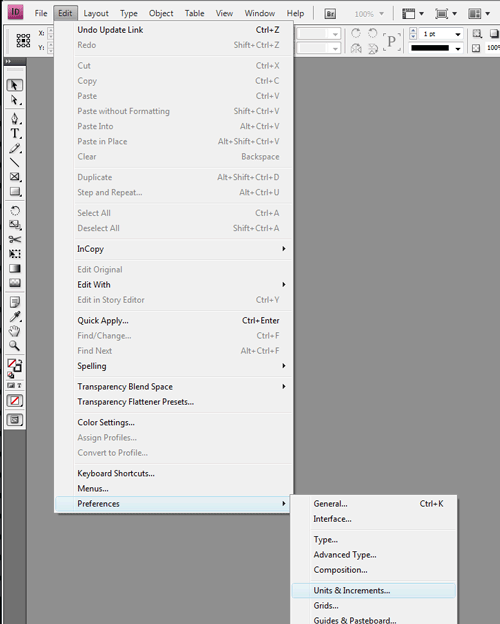 |
Open the Adobe InDesign Preferences:
Open the Preferences Menu by clicking on "Edit" -> "Preferences" -> "Units & Increments" |
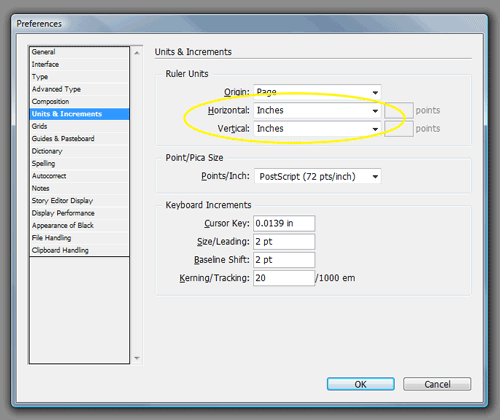 |
Edit the Adobe InDesign Units & Increments Preferences:
Select "Inches" from both the "Horizontal" and "Vertical" fields in the "Ruler Units" box. Clcik "OK" to save changes. |
Copyright 2009-2015, ShortRunPrintingLtd.com
Session ID: r8jqah17ao962hs5cjs7cukdd0 - May 2, 2024 4:20:22PM MST